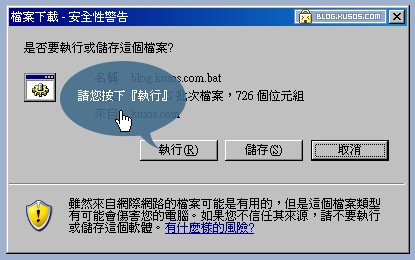
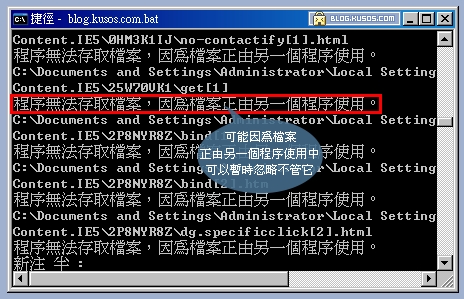
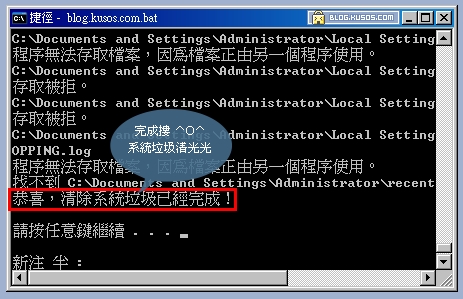
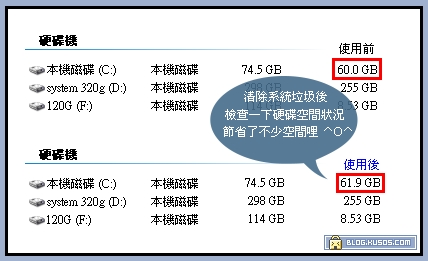
你是否注意到自己電腦的硬碟空間越來越少呢?在WINDOWS的安裝和使用的過程中都會產生相當多的垃圾,包括了臨時的文件如(*.tmp、*._mp) 日誌(*.log)、臨時幫助文件(*.gid)、磁碟檢查文件(*.chk)、臨時的備份文件(如:*.old、*.bak)當這些檔案越積越多,不但浪費了硬碟的空間,嚴重時還會影響電腦的運作速度接下了一個小小的步驟就能解決這些討人厭的檔案請在桌面上建立一個新的記事本 然後 把下面的文字複製在計事本裡,然後另存新檔案在桌面上,保存的類型為 "所有文件" 檔案名字打 "清除系统LJ.bat" 這樣小小的處理圾垃文件程式就完成了↓↓下面的文字複製↓↓@echo off echo 正在清除系统垃圾文件,請稍等...... del /f /s /q %systemdrive%*.tmp del /f /s /q %systemdrive%*._mp del /f /s /q %systemdrive%*.log del /f /s /q %systemdrive%*.gid del /f /s /q %systemdrive%*.chk del /f /s /q %systemdrive%*.old del /f /s /q %systemdrive%recycled*.* del /f /s /q %windir%*.bak del /f /s /q %windir%prefetch*.* rd /s /q %windir%temp & md %windir%temp del /f /q %userprofile%cookies*.* del /f /q %userprofile%recent*.* del /f /s /q "%userprofile%Local SettingsTemporary Internet Files*.*" del /f /s /q "%userprofile%Local SettingsTemp*.*" del /f /s /q "%userprofile%recent*.*" echo 清除系统LJ完成! echo. & pause ● 請您先下載『快速清除系統垃圾小工具』直接按下『執行...
請先 登入 以發表留言。